REVIEW · WALKING TOURS
London: App-Based Walking Tour with 30 Stops
Book on GetYourGuide →Operated by Trippy Tour Guide · Bookable on GetYourGuide
Thirty stops, zero schedule pressure. This app-based walking tour lets you roam at your own pace through Westminster, St. Paul’s, and down to Tower Bridge, with 30 audio stops that explain what you’re seeing and why it matters. I especially like how the route strings together Thames river views and major landmarks, so even one afternoon feels like a full London highlights loop. The main gotcha: you need a charged smartphone plus a strong internet connection to download the tour and start it.
You’ll spend about 4 hours on your feet, but the pace is yours. Stories play automatically as you walk, and you can start, stop, rewind, or replay whenever something catches your eye—no waiting for the next group photo moment. For me, that flexibility is the point: it’s a low-cost way to hit Big Ben and St. Paul’s without paying for an in-person guide, as long as you’re ready to listen with headphones.
Bring headphones and water, because the experience is audio-led. Entry fees aren’t included, including St. Paul’s Cathedral, so you’ll decide on the spot whether you want to go inside or just enjoy the skyline views. There is customer service support too, which helps when you’re relying on your phone to run the show.
In This Review
- Key things to know before you start
- How the app tour works along the Thames-to-Tower route
- Westminster Bridge and Big Ben: power views without the hurry
- Trafalgar Square, Leicester Square, and Shaftesbury Avenue in street-level London
- Piccadilly Circus neon glow and the small-street-to-big-stage feeling
- St. Paul’s Cathedral and the Millennium Bridge engineering walk
- Borough Market stop for food-time, not a timed shopping spree
- London Bridge and the Monument to the Great Fire: resilience in stone
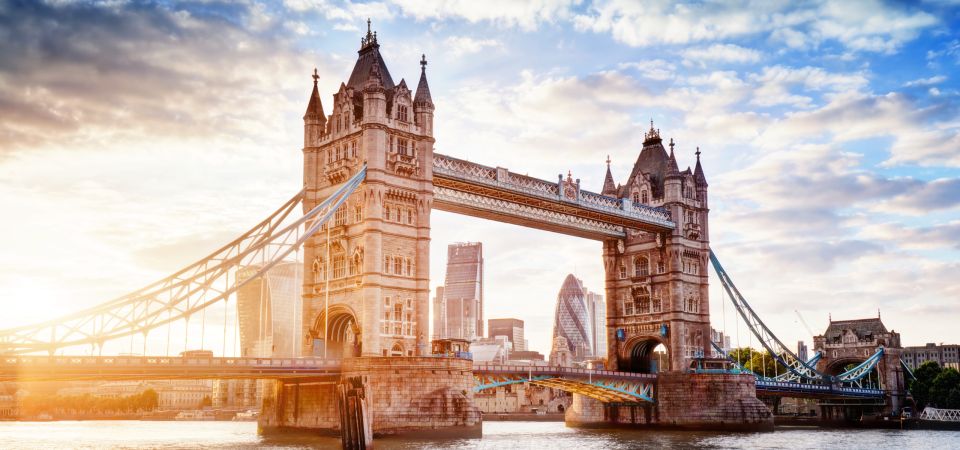
- Tower of London and Tower Bridge to finish: royal-and-medieval atmosphere
- Price and value: why $14 can work for a major-landmark day
- Who this tour suits best (and who might prefer a different style)
- Should you book this London app-based walking tour?
- FAQ
- How long is the London app-based walking tour?
- How much does it cost?
- Is there an in-person guide with this tour?
- What landmarks are included on the route?
- Do I need internet to start the tour?
- Does the tour include entry tickets for St. Paul’s Cathedral?
- What’s included in the price?
- What language options are available for the audio?
- Can I pause or replay the audio while walking?
- What should I bring?
Key things to know before you start
- 30 stops designed for a real walk: you’re not just parking near one monument; you’re moving through London street by street
- Thames-first route planning: you begin along the river, which makes the whole walk feel connected and easy to follow
- Audio you control: you can pause, replay, and rewind as you go
- Offline map included: once you’re set up, you’re not constantly wrestling for service
- Big landmarks, small tradeoffs: most iconic sights are included as viewpoints, while some entry tickets are not
- Six language options: English plus German, French, Spanish, Italian, and Chinese
How the app tour works along the Thames-to-Tower route
This is a self-guided London walking tour run through the Trippy Tour Guide app. You get access instructions by email, then you download the tour using Wi‑Fi and access it from your phone once you arrive at the starting location. When you launch it on-site, the tour starts and the stories begin playing as you move.
The big advantage is control. Your pace is your pace. If you want to linger at Westminster Bridge for a few extra photos, you can. If you need to speed up to reach the next viewpoint, you can do that too.
You also get an offline map, which is a smart safety net in a city where phone signal can vary block to block. Still, you’ll need strong internet connection for the upfront steps—download and app setup are the only parts that require more reliability than usual.
The route is built around major landmarks you’ll recognize instantly: Big Ben, St. Paul’s Cathedral, and Tower Bridge headline the back half. Along the way you’ll pass the major squares and entertainment streets like Trafalgar Square and Piccadilly Circus, plus Borough Market. That mix matters because it turns your walk into more than “look at a statue” sightseeing—it becomes a route through the way London actually feels.
Finally, you’re not stuck with one language track. Audio is included in English, German, French, Spanish, Italian, and Chinese, so you can match what you need without hunting for a separate guidebook.
You can also read our reviews of more walking tours in London



Westminster Bridge and Big Ben: power views without the hurry

Your tour starts along the streets near the Thames River, which sets the tone quickly. Walking by the river helps you orient yourself, and it’s a natural way to enjoy big city scenery without feeling boxed in by landmarks.
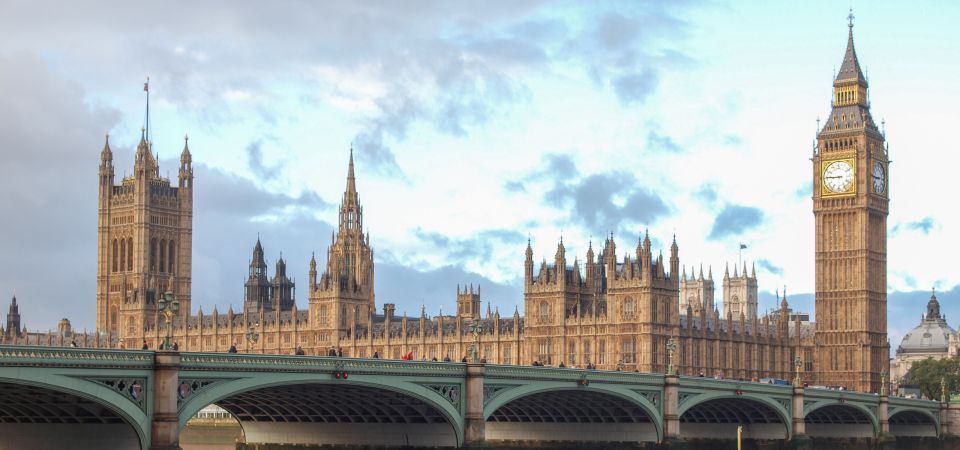
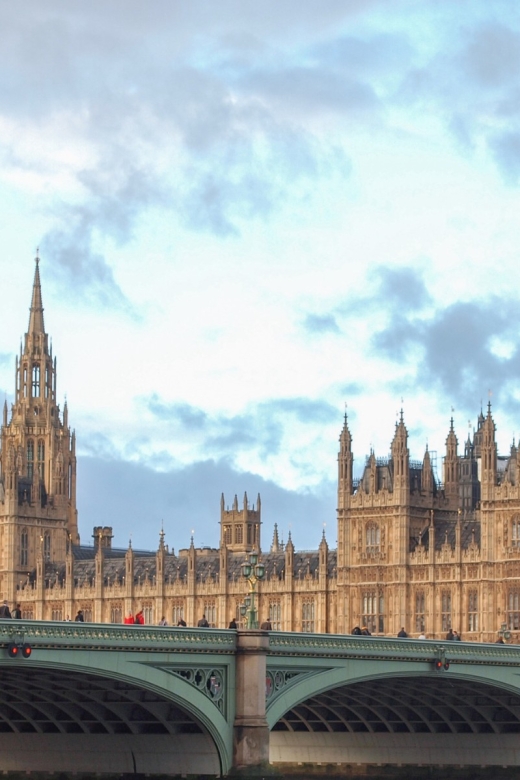
One early highlight is the best view of the London Eye before you head toward Westminster Bridge and Big Ben. The app’s commentary frames this area around British democracy and power, so you’re not just seeing a clock tower—you’re getting the story context as you approach.
Practically, this section is where I’d slow down a bit. Westminster Bridge is a classic photo zone, but it’s also a place where you’ll want time to cross streets safely and position yourself. The good news is you’re not tied to a guided group schedule here, so you can wait for the moment you want.
If you’re someone who likes understanding what you’re looking at, this is a strong stretch. The audio is designed to cue you as you walk, so you get narration right when the landmark is in front of you.
And if you’re in a rush, you can still keep momentum. You can skip backward or forward by restarting or rewinding audio, which is handy if you miss a segment while stepping around pedestrians or traffic.
Trafalgar Square, Leicester Square, and Shaftesbury Avenue in street-level London
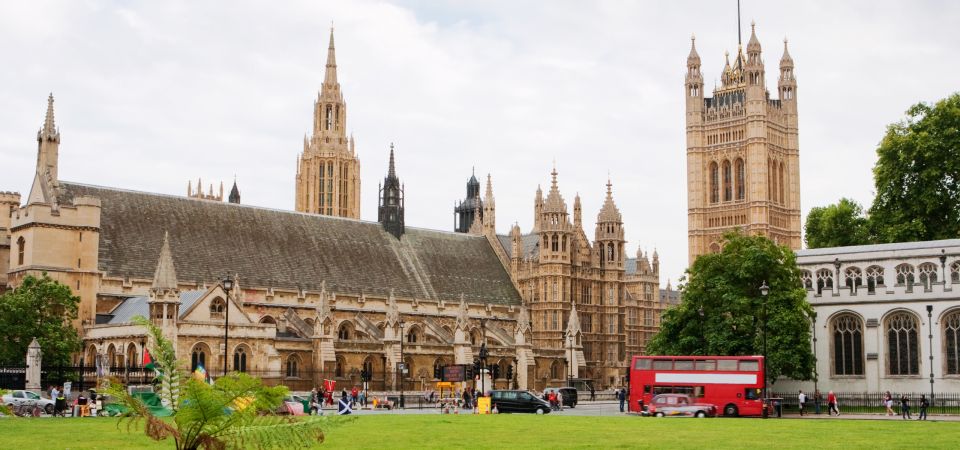
After Westminster, you’ll feel the shift from government and river views to public space and entertainment energy. Trafalgar Square is described as a symbol of national pride and a great people-watching spot, which makes it a good pause point if you want a breather.
Then the route moves into Leicester Square, an area known as an entertainment epicenter. Right after that comes Shaftesbury Avenue, described as a theatrical wonderland. Even if you’re not going into theaters, the streets themselves help paint the picture.
I like this segment because it shows London as more than monuments. You’ll get the sense of where people gather, where they browse, and where the city’s mood changes from official to playful.
A practical note: this is also where walking can feel crowded. You’ll be using headphones, but keep your awareness up for crosswalks and tight sidewalks. The audio will still be playing as you go, so you may want to step into a safer spot before letting yourself get absorbed by a story.
Piccadilly Circus neon glow and the small-street-to-big-stage feeling

Piccadilly Circus is where the tour leans into London’s street spectacle. The commentary calls out the neon glow and even compares it to New York’s Times Square, which helps set expectations fast if you’ve visited big “lights” districts before.
This stop works well as a mid-tour reset. You’ve walked through Westminster power views and major squares, and now you get a visual hit that’s easy to understand from street level. Even if you don’t think of yourself as a nightlife person, this is still a great sightseeing moment because it’s about the vibe—signs, angles, and crowds doing their thing.
Because this is audio-guided, you also control how long you linger at the intersection. If you want a quick look and onward, keep moving. If you want to watch the flow of people while the narration runs, stop and let it play.
For me, the best part is that Piccadilly Circus ties the tour’s themes together. You started with river history, then moved through national pride and theater streets, and now you’re in a place that feels like modern London in one glance.
St. Paul’s Cathedral and the Millennium Bridge engineering walk
St. Paul’s Cathedral is a key landmark on the route, and the app clearly flags one important practical detail: entry to the cathedral isn’t included. The commentary describes it as resilience and beauty, with the dome dominating the skyline. That dome is exactly why you don’t need to go inside to enjoy this stop—you can get a lot from the exterior views as you approach.
If you do want to go in, plan on paying an entry ticket separately. If not, you can still treat it as a skyline moment and keep the walk moving without adding extra costs.
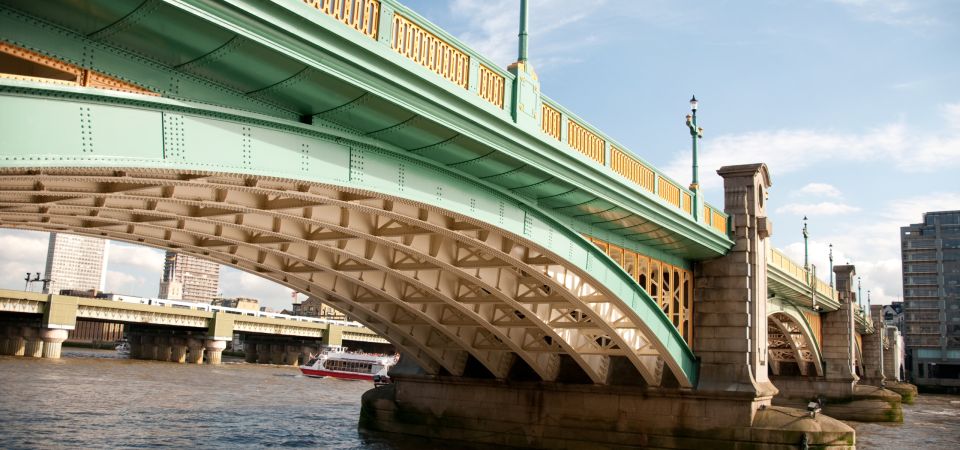
Right after that, you’ll cross the Millennium Bridge. The audio describes it as modern engineering, which gives you a fresh contrast after the older landmark density. It also functions like a “transition bridge” in the route, shifting you toward the next part of the walk: Borough Market.
This is one of the smartest pieces of tour design here. Bridges force a change in perspective. You get open sight lines, you move between areas, and the story keeps pace with the physical experience of walking.
You can also read our reviews of more tours and experiences in London






Borough Market stop for food-time, not a timed shopping spree
The walk leads to Borough Market, and the tour positions it as a place of culinary delights. This is your chance to slow down without breaking the schedule, because the audio-guided format lets you pause whenever you need a snack, a drink, or a rest.
Because the tour duration is around 4 hours, I’d think of Borough Market as a “spend what you want” stop. If you’re hungry, you can grab something here and keep the rest of the walk light. If you’re not, you can still enjoy the area and use it as a reset before the river crossings and final landmarks.
The offline map helps here because markets can be visually busy. You can check your bearings while still keeping your place on the route.
One caution: you’re still on a walking tour, so don’t plan to get stuck wandering too long. The app’s structure is built around moving through all 30 spots, and this stop is one of the easiest places to let time slip if you’re tempted by every stall.
London Bridge and the Monument to the Great Fire: resilience in stone
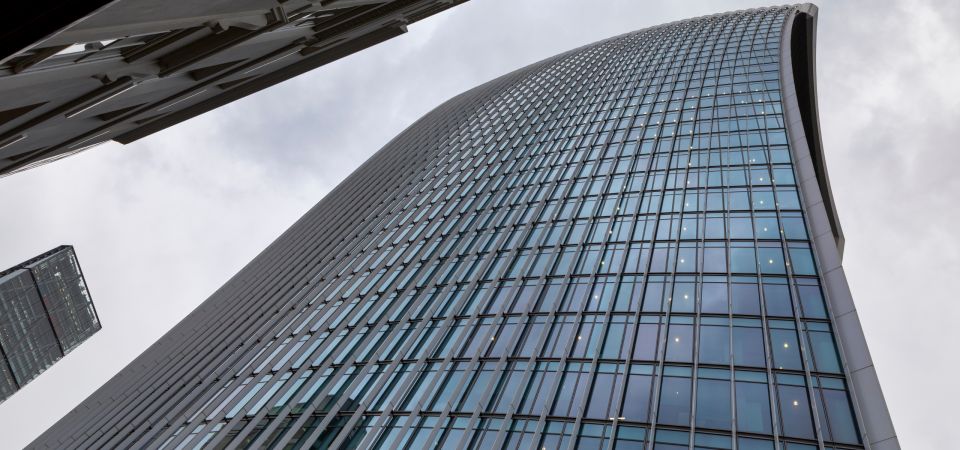
From Borough Market, the tour continues toward London Bridge and the Monument to the Great Fire of London. The commentary frames London Bridge and the Monument as landmarks that tell tales of resilience, and the Monument is described as towering.
This section is great if you like landmarks with a strong “pointing” feeling—something you can see from a distance and then walk toward. It also feels like a bridge between the central icons and the medieval-royal finish near the Tower area.
Practically, this stretch is where you might want extra water and a slower pace if the weather is warm. You’ll be walking continuously across the route, and the app is audio-led, so there’s no built-in break other than what you choose.
Also, keep your phone battery in mind. The tour relies on your device to keep audio and map support running. If you’re using data-hungry apps like social media while walking, this is where battery can become a real factor.
Tower of London and Tower Bridge to finish: royal-and-medieval atmosphere
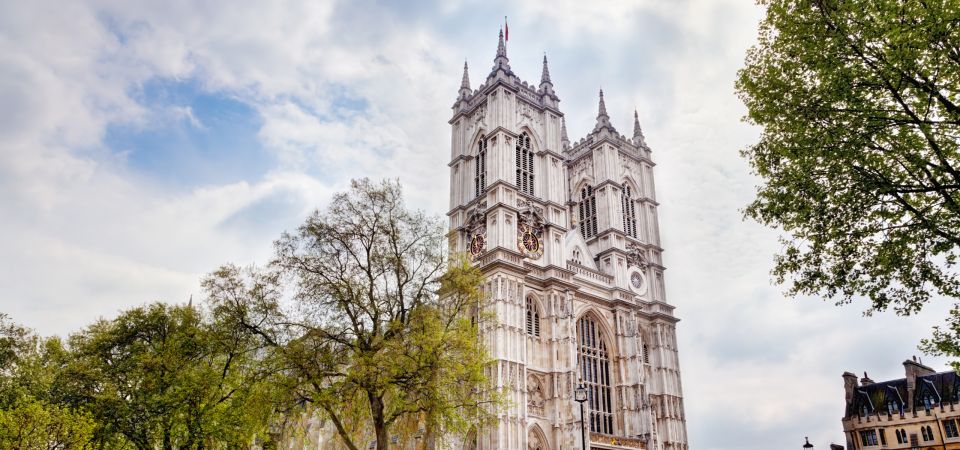
The tour concludes with Tower of London and Tower Bridge. The commentary calls out royal and medieval past, and that framing helps you connect what you see at the end of the walk.
This ending makes sense logically. After landmarks spread from Westminster through central London, finishing by Tower Bridge gives you a final “big finale” viewpoint. It’s a strong place to take last photos because the structures are visually powerful and easy to recognize.
Since you control the pacing, you can decide how to end your day. You can wrap up right at the Tower Bridge area, or linger a bit if you want one last river look. The app format supports that because you can stop and replay audio rather than racing through the final story parts.
If you’re pairing this with other plans, I’d schedule extra time after the tour. Tower Bridge and the Tower area are popular, and you may want time to get refreshments, orient yourself, or simply enjoy the evening light if your day timing lines up.
Price and value: why $14 can work for a major-landmark day

At $14 per person for around 4 hours and 30 audio stops, the value is mostly about what you get without the cost of a live guide. You’re paying for navigation plus guided storytelling through an app, with offline mapping support.
You also avoid a common hidden expense: entrance tickets. The tour does include landmark stops, but it doesn’t include entry fees. That’s a tradeoff, but it can actually be a value advantage if you prefer to control costs. You can enjoy key skyline moments like St. Paul’s Cathedral without buying tickets—then decide later if any inside time is worth it to you.
The “real cost” to consider isn’t money—it’s device prep. You need a charged smartphone, headphones, and strong internet to download and start. If you’re traveling light and your phone battery tends to die quickly, you’ll feel that cost.
If you want a human guide who can answer questions on the fly, you won’t get that here. There’s no in-person guide. But if you’re comfortable listening and walking, the app model keeps you moving and gives you a guided structure across major landmarks.
Who this tour suits best (and who might prefer a different style)
This works best for you if you like:
- self-paced walking through London’s major highlights
- learning through audio commentary rather than lecture-style explanations
- flexibility to pause, rewind, and move ahead without waiting for a group
- a route that covers Big Ben, St. Paul’s, and Tower Bridge along with central squares and markets
It may be less ideal if you:
- dislike app-based tours or don’t want to depend on a phone for navigation
- can’t reliably download content using Wi‑Fi when you arrive
- want fully guided visits inside major landmarks (since entry fees aren’t included)
In other words, it’s a strong choice for independent sightseeing where you want structure, but you still want control.
Should you book this London app-based walking tour?
Yes—book it if you want a straightforward, landmark-heavy London route you can run at your own speed, without the cost of an in-person guide. The combination of Thames-side walking, major icons like Big Ben and Tower Bridge, and the central stops like Trafalgar Square and Piccadilly Circus makes it a practical “best-of” day in a single loop.
Skip it if you’re hoping for included museum/cathedral entry or a live guide who can flex based on questions. Also skip—or at least plan carefully—if your phone battery is always on the edge, because the experience depends on you having a charged smartphone and working headphones.
If you’re the type who enjoys putting in earbuds, walking until your legs find a rhythm, and letting the stories roll right when you reach each place, this $14 London walk is a sensible way to spend a 4-hour afternoon.
FAQ
How long is the London app-based walking tour?
The tour duration is 4 hours.
How much does it cost?
It costs $14 per person.
Is there an in-person guide with this tour?
No. This is an app-based tour, and an in-person guide is not included.
What landmarks are included on the route?
The tour includes iconic stops such as Big Ben, St. Paul’s Cathedral, and Tower Bridge, along with stops around Westminster Bridge, Trafalgar Square, Leicester Square, Shaftesbury Avenue, Piccadilly Circus, Millennium Bridge, Borough Market, London Bridge, and the Monument to the Great Fire of London.
Do I need internet to start the tour?
Yes. You need a strong internet connection to install the app and download the tour using Wi‑Fi. When you arrive at the starting location, you launch the tour in the app.
Does the tour include entry tickets for St. Paul’s Cathedral?
No. St. Paul’s Cathedral entry ticket is not included, so you would need to pay separately if you want to go inside.
What’s included in the price?
Included items are the app-based tour, visits to 30 spots, audio commentary, an offline map, and customer service support.
What language options are available for the audio?
Audio commentary is available in English, German, French, Spanish, Italian, and Chinese.
Can I pause or replay the audio while walking?
Yes. The stories play automatically, and you can start, stop, replay, or rewind as you like.
What should I bring?
Bring water, headphones, a charged smartphone, and make sure you have the downloaded app.